
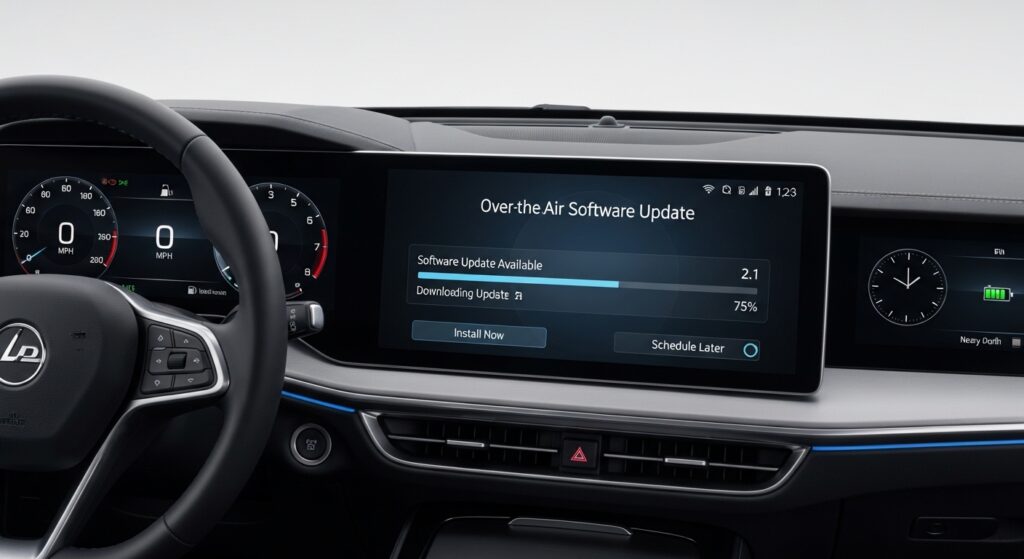
Over the air vehicle software updates have become part of normal car ownership. Many newer vehicles can receive software changes through a wireless connection, which can affect safety features, performance, diagnostics, and even recall repairs. That means car maintenance now includes more than fluids, filters, and parts.
How Over The Air Software Updates Are Changing Car Maintenance
For years, maintenance mostly meant physical service. Drivers thought about oil changes, brake pads, batteries, and tire wear. Those items still matter, but modern vehicles now depend heavily on software. In many cases, your car can receive a fix, a feature update, or a system improvement without visiting a shop.
That shift changes how drivers think about maintenance. A warning light may still point to a worn component, but sometimes the issue can involve a software bug, a communication fault, or a calibration problem. If you have already read our guide on what to do if your check engine light comes on, this is the next step in understanding how modern cars behave.
What OTA Updates Actually Do
 OTA stands for over the air. In simple terms, it means your vehicle can download and install certain software updates through a wireless connection. Some updates target infotainment features. Others affect navigation, driver assistance settings, battery management, charging behavior, communication between modules, or bug fixes that improve daily drivability.
For vehicle owners, that can sound convenient, and it often is. An update can improve system stability, correct a known issue, or add a small feature without requiring a traditional appointment. That is one reason software has become part of regular maintenance planning.
Common areas affected by OTA updates
- Infotainment and display systems
- Navigation maps and interface behavior
- Driver assistance settings and alerts
- Battery management in EVs and hybrids
- Charging logic and energy use
- Communication between electronic control modules
As vehicles become more software-driven, this topic also connects naturally with our article on the role of digital twins in vehicle diagnostics and repair. Modern diagnostics increasingly depend on data, software behavior, and system communication, not only mechanical inspection.
Why OTA Updates Matter for Maintenance
Software updates can change the way a car starts, charges, shifts, displays warnings, or responds to certain inputs. That means maintenance is no longer limited to replacing worn parts. It also includes checking whether your vehicle software is current, whether a system update failed, and whether a module needs reprogramming or verification.
A good example is a vehicle that suddenly shows odd infotainment behavior, charging interruptions, camera glitches, or false alerts from a driver assistance feature. The root cause may not be a broken part. It may involve incomplete software installation, outdated module logic, or a calibration issue after repair.
This also helps explain why modern repairs sometimes take longer to diagnose. A technician may need to scan the vehicle, confirm software versions, review service information, and separate a hardware fault from a software issue. That is different from older repair routines.
How OTA Updates Connect With Safety Systems
Many newer vehicles rely on cameras, radar, sensors, and control modules that work together. If software in one part of that network changes, it can influence how another system behaves. That is why owners should take update notices seriously, especially when they affect safety or driver assistance features.
If your vehicle includes lane departure warning, automatic emergency braking, or adaptive cruise functions, software health matters just as much as sensor condition. That is also why our post on ADAS calibration remains relevant. A system may need proper calibration after physical repair, while software updates may address the digital side of how that system operates.
Signs software may be part of the problem
- A dashboard warning appears after a recent update
- The screen freezes, restarts, or responds slowly
- A driver assistance alert appears without clear cause
- Charging behavior changes unexpectedly in an EV or hybrid
- Settings reset or saved preferences disappear
When an Update Is Not Enough
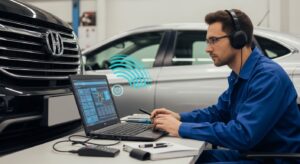 OTA updates are useful, but they do not replace hands-on service. Software cannot fix worn brake pads, a weak battery, coolant leaks, damaged wiring, or a failing sensor. In some cases, an update may only improve how the vehicle reports a problem. The actual repair still needs a technician.
For example, if your vehicle overheats, there may be a cooling system issue that software alone cannot solve. Our article on what to do when your car overheats remains essential because physical inspections still matter. The same goes for routine upkeep such as regular oil changes and battery checks.
Drivers sometimes assume a connected vehicle can correct everything by itself. That is not how real maintenance works. Software can support the vehicle, but mechanical wear, electrical faults, and collision damage still need proper diagnosis and repair.
How OTA Updates Can Change Recall and Repair Habits
One major change is that some vehicle fixes can now happen remotely. In certain cases, an automaker can issue a software-related remedy without requiring every owner to visit a service center right away. That can save time, but it also makes owners more responsible for reading alerts, approving updates, and confirming that installation finished correctly.
If a driver ignores update notifications for months, the vehicle may miss a needed fix or continue operating with older logic. That can lead to confusion when new symptoms appear later. It is similar to delaying any other type of maintenance. The problem may not feel urgent at first, but it can become harder to sort out over time.
How to Handle OTA Updates the Smart Way
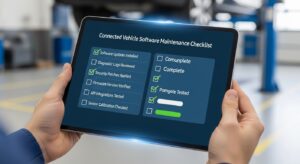 Drivers do not need to become software experts, but a few habits can help. First, read update messages instead of dismissing them. Try to understand whether the update affects convenience features, safety systems, charging behavior, or general stability.
Second, keep records. A simple note with the update date and any changes you noticed afterward can help if a problem appears. If your screen acts differently, if a warning turns on, or if your car behaves oddly after an update, that timeline can help a technician diagnose the issue faster.
Practical OTA update habits
- Install updates when the vehicle and battery are in a stable condition
- Read update summaries before approving installation
- Take note of warning lights or changed behavior afterward
- Do not ignore repeated update failures
- Ask a repair shop to verify software and system health if symptoms appear
It also helps to keep up with foundational maintenance. If you are preparing for travel, our guide on road trip preparation can help you cover tires, fluids, lights, and other basics that software updates do not replace.
What This Means for Repair Shops
Repair shops now need more than mechanical skill. They need scan tools, service information access, module programming knowledge, and a clear process for separating physical faults from digital ones. That change is a major reason modern auto repair looks different than it did a decade ago.
For drivers, this makes shop selection more important. A quality repair process now includes electronic diagnosis, software awareness, and proper verification after service. If you have not read it yet, our post on why choosing the right auto repair shop matters adds useful context here.
Final Thoughts
Over the air updates are changing car maintenance because software has become part of how vehicles operate every day. That does not make traditional service less important. It means modern maintenance now has two sides: physical care and digital upkeep.
The smartest approach is balance. Stay current on update notices, pay attention to new warning signs, and continue with routine service for the systems that still wear over time. When drivers understand both the mechanical and software side of ownership, they are better prepared to keep a modern vehicle running smoothly.
Helpful references: NHTSA vehicle cybersecurity, U.S. Department of Energy EV basics, and Consumer Reports on OTA car software updates.